Drone Testing Framework
During my software engineering internship at Avy, I worked on speeding up how the company tested its drones. I built a framework for setting up tests and a command-line tool to run them.
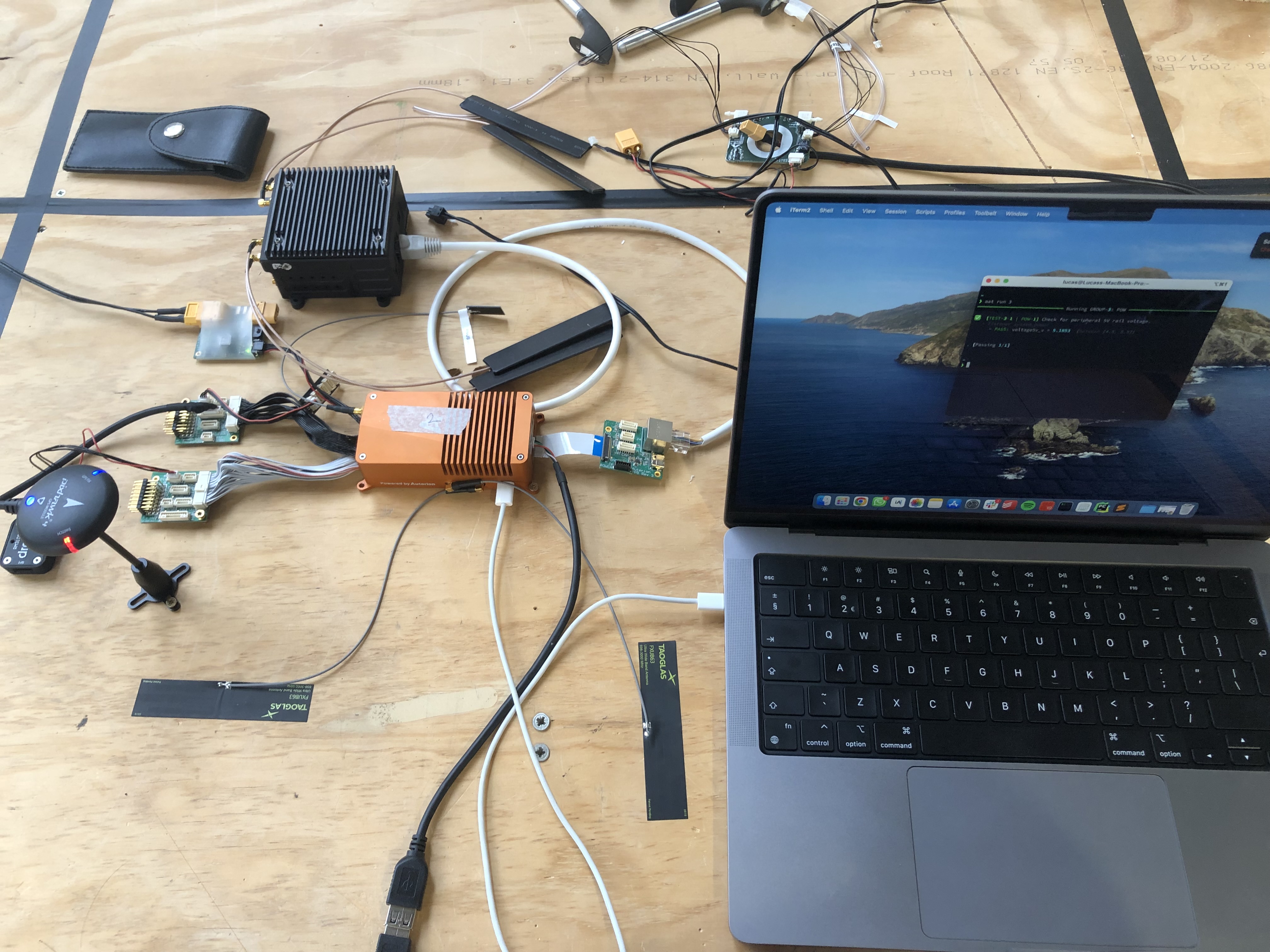
Setup of the drone testing framework
The Challenge
Before this project, testing a drone was slow and manual. Engineers connected to each drone by hand and sent commands to check the hardware and software. It took a long time and was easy to get wrong. If they found a fault, the drone went back for repairs and the whole test sequence had to start over.
The Solution
I built a framework where engineers pre-program a sequence of commands for the drone, and the framework checks the responses automatically. On top of that I built a command-line tool to run the tests with a single command, which saved a lot of time and frustration.
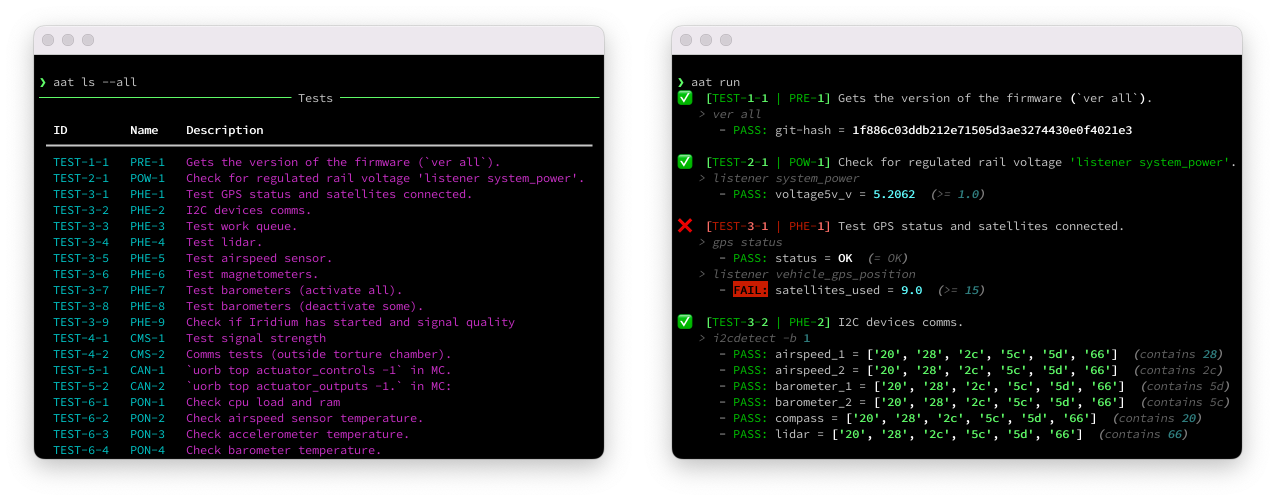
CLI interface of the automated testing tool.
Overcoming Difficulties
I originally wanted the tool to connect to the drones wirelessly, but that ran into two problems. First, it would have tied the tool to the drone’s firmware authentication system. Second, a tool that connects to any drone wirelessly is a security risk. Imagine someone reverse-engineering it and using it to control a drone remotely.
So I went with a USB connection instead, which turned out to be simpler and more reliable. It had two nice side effects. It sets up the link between the computer and the drone instantly, and it tells the drone’s firmware to ignore movement commands, which keeps things safe during testing.
USB also made the tool much easier to use. The production team just plugs in the drone, runs aat run, and the tests run on their own and produce a report at the end.
The Impact
The framework cut testing time a lot and made Avy’s production process more reliable. The team can now spend their time on harder tasks while the tool tests the drones on its own.